Configure your
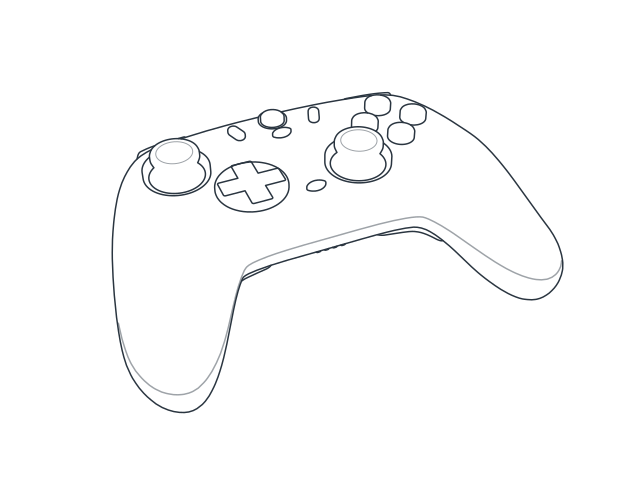
GameSir Controller
on Linux.
Works on any Linux PC, including the Steam Deck.
Dead zones, button remapping, vibration, the Home light and firmware updates for the GameSir Nova 2 Lite and its 2.4 GHz receiver, without Windows, Wine or a phone. Unofficial and open source, built for interoperability by studying how the controller talks over USB and Bluetooth.
- 1
Triggers
Dead zones at both ends, and quick triggers.
- 2
Sticks
Inner and outer dead zones, a response curve, and the live position as you move them.
- 3
Back buttons
L4 and R4 on the back, remapped like the rest.
- 4
Home light
Its colour, set from your computer.
- 5
Buttons
Remap all 19, each to any other or up to three pressed together.
- 6
Vibration
Strength for each grip motor, with a test for each.
Feel the dead zones
Drag the stick, or move a stick on your controller. The shaded areas are ignored, and the filled dot is what your game receives. This preview runs in your browser; the settings app writes the same values to the controller.
Ignored Your stick What the game gets
- Your stick
- 0%
- Game receives
- 0%
What's in the box
- Settings app
- Finds the controller when you plug it in. The controller drawing is the map, and the buttons you press light up live. Setup and help are built in.
- Firmware updates
- Installs the official firmware on the controller and its receiver, after a full backup. Only the firmware area is written; pairing and calibration are never touched.
- Command line
- Every setting from a terminal too, by cable, receiver or Bluetooth, with a simulator to try it without a controller.
- Open protocol notes
- How the controller talks over USB, the receiver and Bluetooth is written down under CC BY-SA, so other tools can build on it.
Where it stands
Tested on one Nova 2 Lite (firmware 7701 and 8201) and its receiver (firmware 2800).
| Cable | 2.4 GHz receiver | Bluetooth | |
|---|---|---|---|
| Read and change settings | Works | Works | Built, untested |
| Remap every button | Works | Works | Back buttons only, untested |
| Live sticks, triggers and buttons | Works | Works | Not tested yet |
| Controller firmware update | Works | Use the cable | Not tested yet |
| Receiver firmware update | Not applicable | Works | Not applicable |
A few settings are refused by the controller's own firmware; the app shows those as read-only.
Firmware updates can brick hardware. The safety checks reduce that risk but can't remove it.
Try it
You need Linux and Python 3.11 or newer. One command installs PadSquire for your user only.
-
Install PadSquire
curl -fsSL https://padsquire.com/install.sh | shcurldownloads the installer andshruns it. It:- installs PadSquire into its own Python environment in
~/.local/share/padsquire/venv(what a venv is), so nothing is installed system-wide, - links the
padsquirecommand into~/.local/bin, - adds PadSquire to your app menu,
- and only if you say yes, installs a udev rule so you can use the controller without sudo. That is the one step that asks for your password.
- installs PadSquire into its own Python environment in
-
Open PadSquire
Start it from your app menu. To look around without a controller, run:
padsquire gui --simulate # no controller neededIf your terminal can't find
padsquire,~/.local/binisn't on your PATH yet; the installer prints the line to add.
Read it first
Download the installer, read it, then run it:
curl -fsSL https://padsquire.com/install.sh -o install.sh
sh install.sh
Update or remove
To update, run the install command again. To remove PadSquire:
curl -fsSL https://padsquire.com/install.sh | sh -s -- --uninstallFirmware downloads and flash backups in ~/.local/share/padsquire are kept.
Other ways: pipx install 'padsquire[gui]', then padsquire menu
(pipx), or from source in the
GitHub repo.
The settings app runs on your own machine and only listens on 127.0.0.1:
it needs direct access to the controller, and nothing about your controller leaves your computer.
Support the work
This is a spare-time project. Every GameSir controller speaks a slightly different dialect, and I can only support the ones I can hold. Buy me a coffee, or put a controller on the shelf.
Buy me a coffee
Keeps the late-night protocol sessions going.
The controller shelf
What I have on the desk, and what I'd like to support next. Buy one from my Amazon.de wish list or send the money for it, then reserve it here so nobody else buys the same one.